
FanPilot · Basic grade

Airflow that follows the cows

The entry grade of BARNEYE ventilation control: each DB2 VFD fan controller governs one zone — a fan group or an area of pens — and varies fan speed with the temperature instead of running the fans flat out. Simple to specify, economical to run, and it keeps ventilating with no network at all.
The system

Air where the barn needs it — not flat out all day

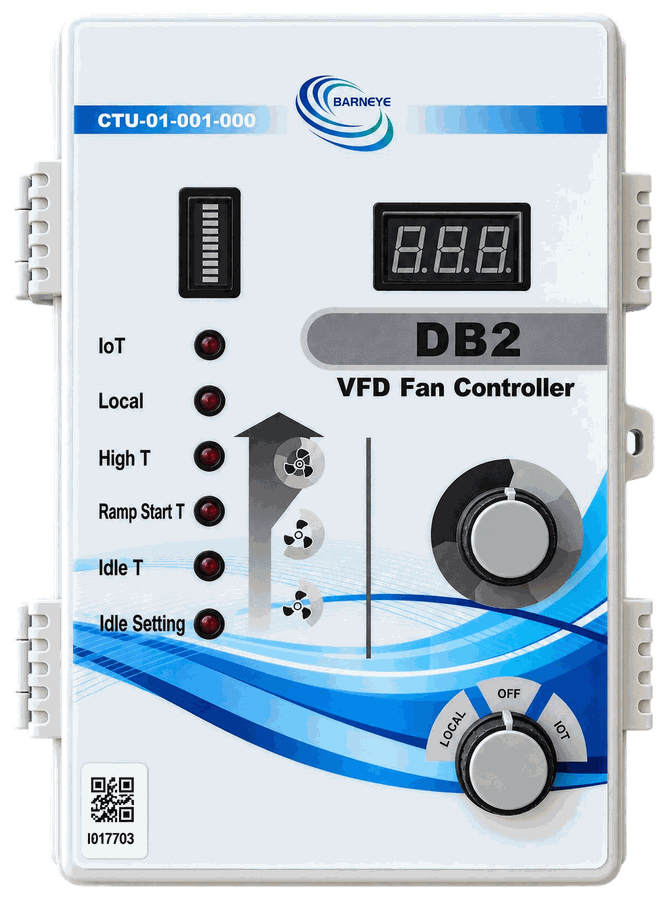
FanPilot Basic is the entry grade of the BARNEYE ventilation system. At this grade the barn is divided into zones, and each zone is governed by its own DB2 VFD Fan Controller — an IP66 unit that reads barn temperature and drives the variable-frequency fans through a 0–10 V signal. One DB2 manages one zone, or one group of cows; it is not asked to run a whole building on its own.

Rather than switching a fan on and off, the DB2 works a ladder of ten selectable speed levels and moves along it as the temperature changes. Fans start more gently, ramp instead of slamming, and hold a stable airflow instead of stepping between all or nothing. That is where the energy saving comes from: the fans run only as hard as the barn needs.

The strategy lives inside the DB2, so ventilation continues with no network at all. Connect it to the BARNEYE platform and the same controller can be set up and monitored remotely, including across several farms from one account.

Basic is the economical choice, built for operations that want a simple solution. One controller per zone, temperature as the input, the strategy on the panel — nothing that needs a network, a laptop or a controls engineer to keep running. That simplicity is the point of the grade, not a limitation of it.

Download the FanPilot brochureFanPilot · Basic to Advanced · English · 2 pages · 856 KB PDF
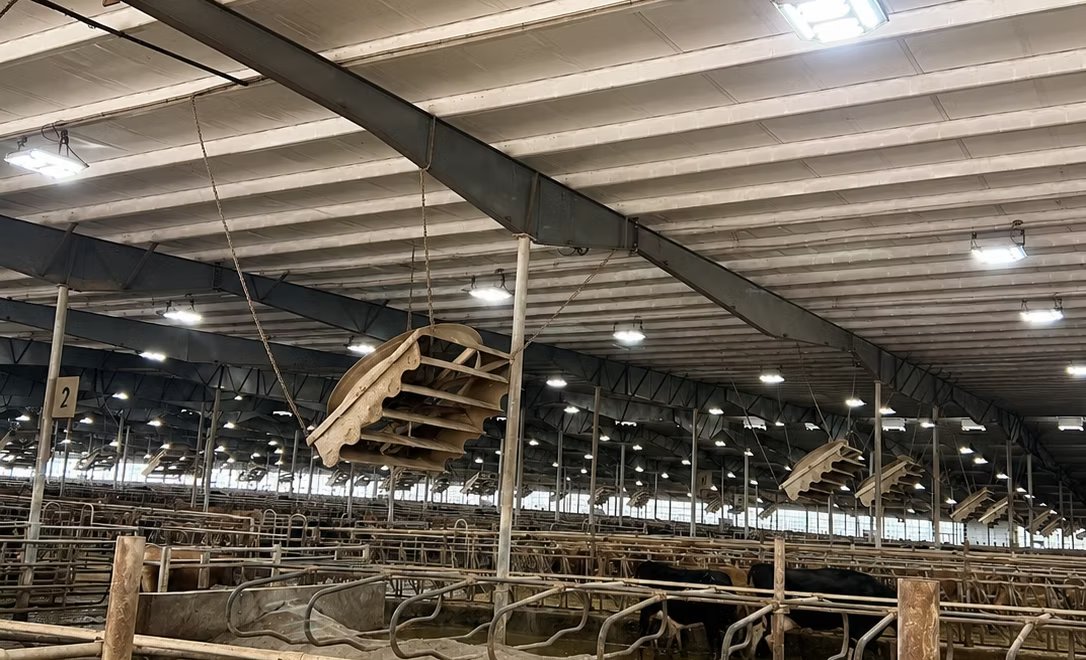
The interior of a large dairy barn: a steel roof with ridge skylights, baffle panels hanging above the pens and cows along the feed fence
A dairy barn on a BARNEYE project. At Basic the building is divided into zones, each held on its own DB2; the fans, the baffles and the building itself stay as they are.
  • 10Selectable speed levels
  • 0–10 VFan speed, plus a switched enable
  • LocalOr remote strategy setting
  • 1 zonePer DB2 controller
Equipment

What the system is made of

At this grade one part number does the work. A single IP66 controller drives the whole fan line, and the site reuses the fans and the building it already has.

One per zone · governs a fan group

DB2 VFD Fan Controller

The controller this grade is built around. It reads barn temperature, picks one of ten speed levels and drives the variable-frequency fans through a 0–10 V analogue output, with a switched enable output alongside it. The strategy is held in the unit, so the zone keeps ventilating with or without a network.

  • Temperature-based 0–10 V output for VFD fans
  • Switched enable output alongside the analogue signal
  • Ten selectable speed levels, set on the panel or remotely
  • One unit governs one zone — a fan group or an area of pens
Open the DB2
Grade ladder

Where this grade sits

FanPilot ships in three grades, and Basic is deliberately the simple one: a controller per zone, temperature as its input, and no network dependency. The higher grades fold those zones together and add coordination around them.

  1. Basic —
    DB2 per zone
    Each zone gets its own DB2. Fans start, stop and change speed on temperature alone, and the strategy is set on the control panel or through the platform. This is the grade described on this page.
  2. Standard —
    add Mini-C Plus + VFD module
    Folds several DB2 zones into one control point — a Mini-C Plus with a VFD module. Adds multiple environmental inputs and automatic coordination with TargetSoak.
  3. Advanced —
    add DB9
    Adds per-fan control on top: individual strategies and manual commands for every fan, with actual speed, frequency, current and fault readback. The Mini-C Plus stays in place.
Layout

Where FanPilot Basic sits in the barn

The same four-row barn the soaking drawings use, read from the ventilation side. Seventy-six fan positions — forty along the feeding alleys, thirty-six over the lying area — one control run to the fans, and four DB2 units at the service end.

Example layoutThis drawing is an example. Its basic conditions come from Live Barn and it is not an actual dairy barn — it shows how a layout is put together and must not be used as a configuration reference for any real project.Talk to us and we will prepare a solution for your barn

Four-row barn, 8 pen groups, 76 fan positions: 40 along the feeding alleys, 36 over the lying area. The outlined blue path is the control cable: it leaves the DB2 at the service end and drops to each fan in turn.

  1. 1
    Fans — 76 positionsForty sit along the feeding alleys and thirty-six over the lying area. They are the units drawn outside each bed row, not free-standing towers in the alley.
  2. 2
    Direct fan drives — 76Each position carries its own drive at the fan. Nothing routes back to a central inverter cabinet, which is why the drawing shows no cabinet room at the service end.
  3. 3
    Control cable — 76 dropsOne run to the fans, branching at each fan. A single cable can carry both the 0–10 V speed signal and the switched enable; where the two are run separately, one cable serves the analogue output and one the enable.
  4. 4
    DB2 controllers — 4, at the service endMarked DB2 on the drawing: one per pair of rows, on the run where it splits. Each holds the strategy for its own zone, so losing the network does not stop ventilation.
Why FanPilot Basic

What you get for it

Four things the DB2 brings to a barn — and the first two are the ones the electricity meter notices.

Automatic fan control

DB2 adjusts fan speed automatically as barn temperature changes. Nobody has to watch the thermometer and step the fans up by hand as the day warms — and nothing is over-ventilated on a cool morning to be ready for the afternoon.

Two outputs, not one

Speed is not the only thing a fan needs to hear. Alongside the 0–10 V analogue output the DB2 switches an enable signal, so a drive can be told to run as well as how fast — and stopped positively when the zone should be off.

Lower energy costs

Because speed tracks the temperature instead of running flat out, the fans use less power. Quieter starts and gentler ramps also mean less mechanical stress on every fan and its drive — smarter use of every kilowatt.

Local or remote

Set the strategy on site from the front panel, or through the BARNEYE platform from any web-enabled device — the same unit and the same strategy, wherever the person responsible happens to be.

Not sure FanPilot Basic is the right grade?

Send us your barn drawing and the fan schedule. We will tell you how the DB2 groups the fans, what the ventilation curve should look like, and whether the site needs the coordination that Standard adds.

Send us your barn plan
Fan grouping from your drawing
Ventilation curve design
Transparent bill of materials