FanPilot · Standard grade

Zones that breathe together

The coordinated grade: a Mini-C Plus folds several DB2 zones into one control point, reads the barn through multiple inputs and drives the fan groups as one system — working with soaking rather than against it.

The system

One controller, every zone, one strategy

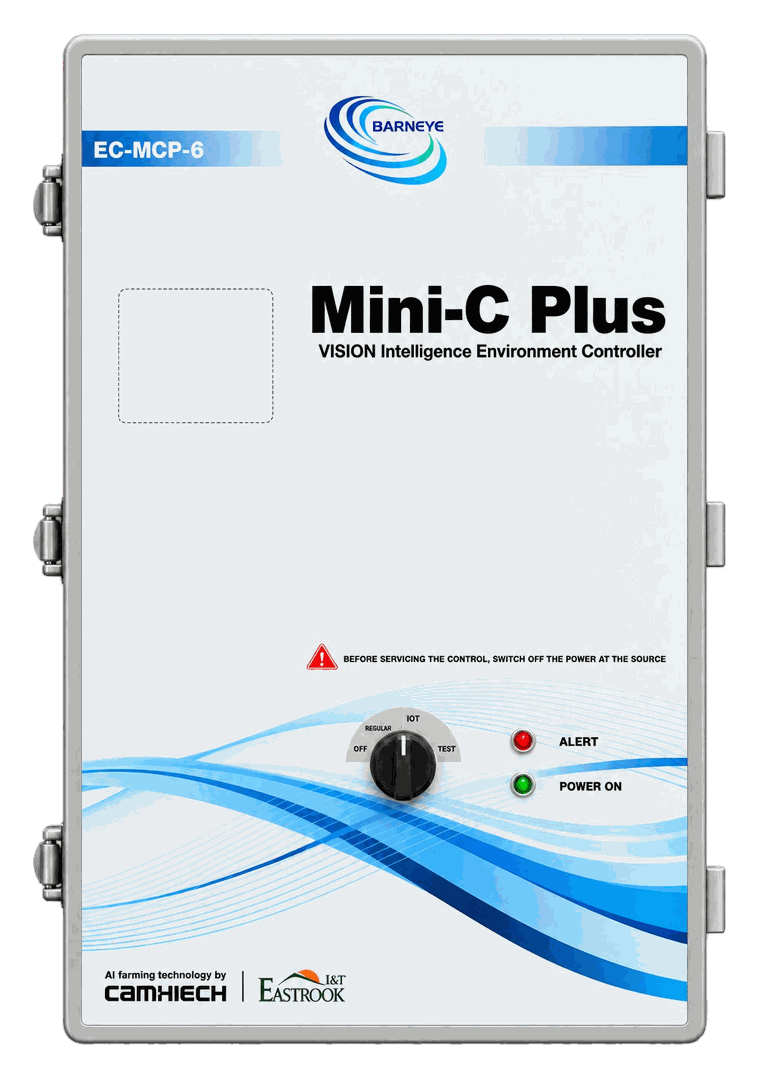
FanPilot Standard folds several DB2 zones into one control point: a Mini-C Plus takes over the strategy for the whole building, and a VFD module seated in one of its six slots produces the 0–10 V signal for the variable-frequency fans. The fans and the building stay as they are; what changes is how many controllers the strategy is spread across.

The difference from Basic is what the controller is allowed to think with. Multiple inputs are available — temperature, humidity, THI, light, indoor/outdoor pressure difference, water pressure, and more through the module slots — so a zone can be driven by the heat the cows are standing in rather than by one probe on one wall. Temperature, humidity and THI are built into the controller itself and need no separate sensor. Each zone carries its own setpoint, and the zones move together.

Because the same controller runs the soaking system as well, the two behave as one installation rather than as two systems that happen to share a barn. When TargetSoak is wetting a feed alley, for example, FanPilot can ease the fans back slightly so the spray is not carried onto the feed — and the pair can alternate instead of both running flat out at the same moment. That is an example of the flexibility, not a fixed rule: the point is that the coordination is set up the way the barn needs it.

Settings are made in the BARNEYE platform rather than on a panel. That is deliberate here: one strategy, several houses, changed from wherever you are.

Download the FanPilot brochureFanPilot · Basic to Advanced · English · 2 pages · 856 KB PDF
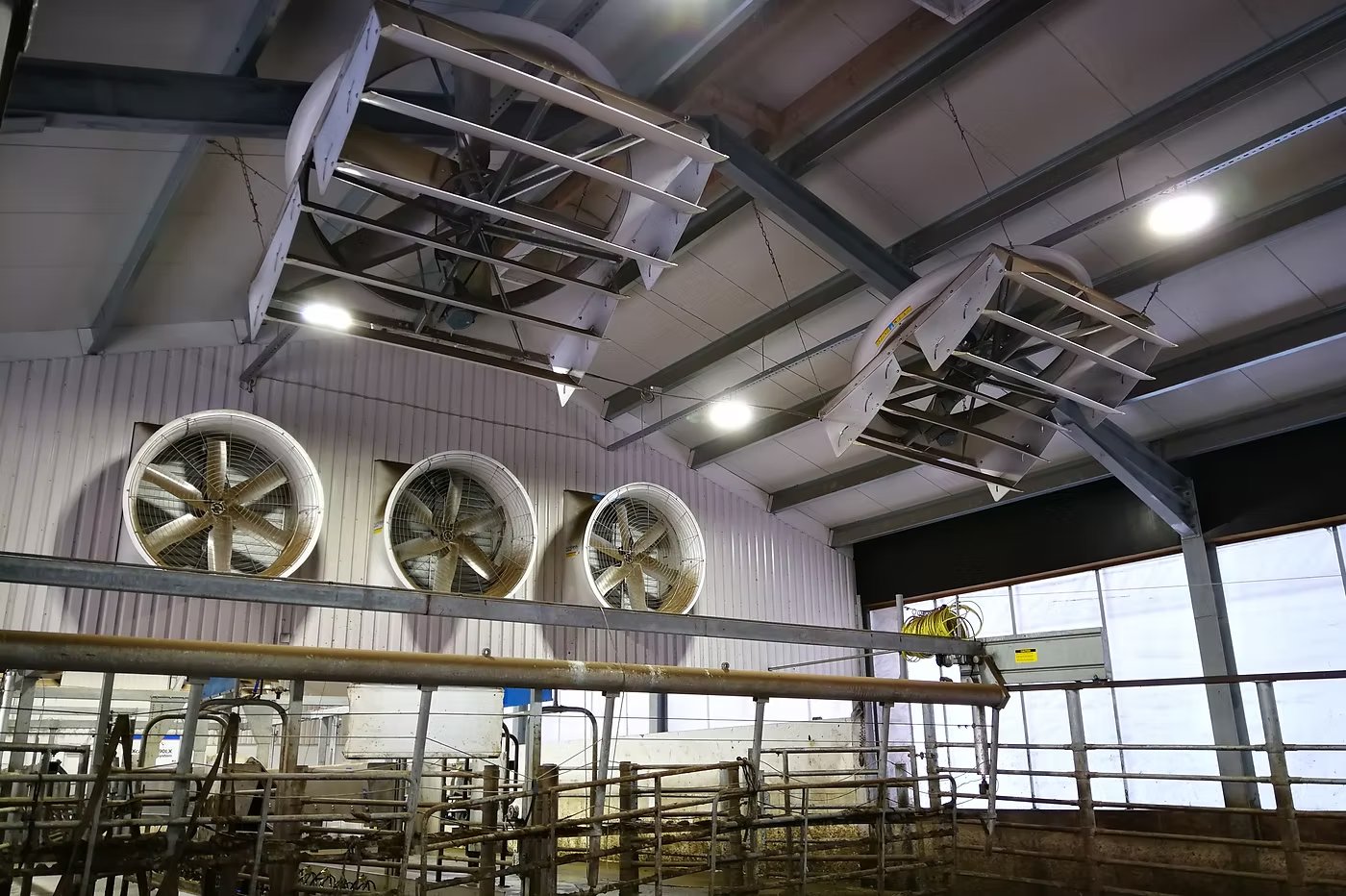
Two circulation fans hanging from the barn ceiling, with three wall-mounted exhaust fans behind them and the pens below
Circulation fans over the pens and exhaust fans in the wall, on a BARNEYE project. At Standard one controller folds several zones into a single strategy, set up in the platform.
  • MultipleEnvironmental inputs
  • ZoneControl level
  • 0–10 VVFD module output
  • PlatformWhere the strategy lives
Equipment

What the system is made of

One controller, one plug-in output module, and the sensors the site actually needs. The fans, the building and the wiring out to the fans stay as they are.

ECU-01-006-000One per barn

Mini-C Plus

The controller at the centre of this grade. It holds the ventilation strategy for every zone, reads the environmental inputs and coordinates the fan groups. Six module slots take the VFD module and whichever input modules the barn needs.

  • Ventilation strategy for every zone in one enclosure
  • Six module slots for control, acquisition and communication modules
  • Built-in temperature and humidity, with THI calculated on board
  • Platform link for remote setting and multi-farm management
Open the Mini-C Plus
CCM-01-003-004One per Mini-C Plus · 4 × 0–10 V

VFD module

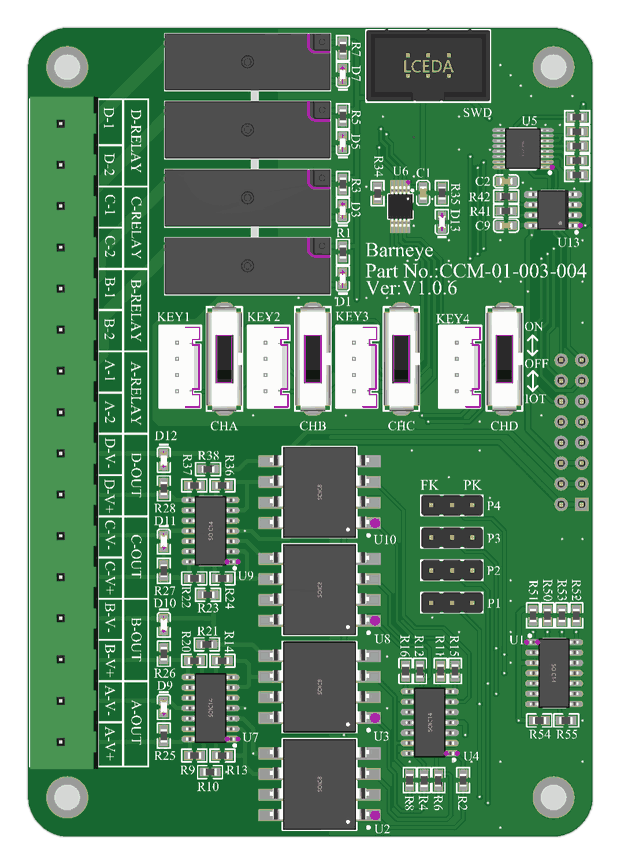
A plug-in output board — the MD-VFD-4, part CCM-01-003-004 — with four 0–10 V channels on it. It turns the zone decision into an analogue signal for the variable-frequency drives, the same signal the DB2 produces at Basic, except that it comes from inside the controller instead of from a separate enclosure.

  • Four 0–10 V outputs on one module
  • Drives VFD fans
  • Seats in a Mini-C Plus module slot
  • Configured in the platform, not on the module
See the module slots
per projectSupplied as required

Environmental sensors

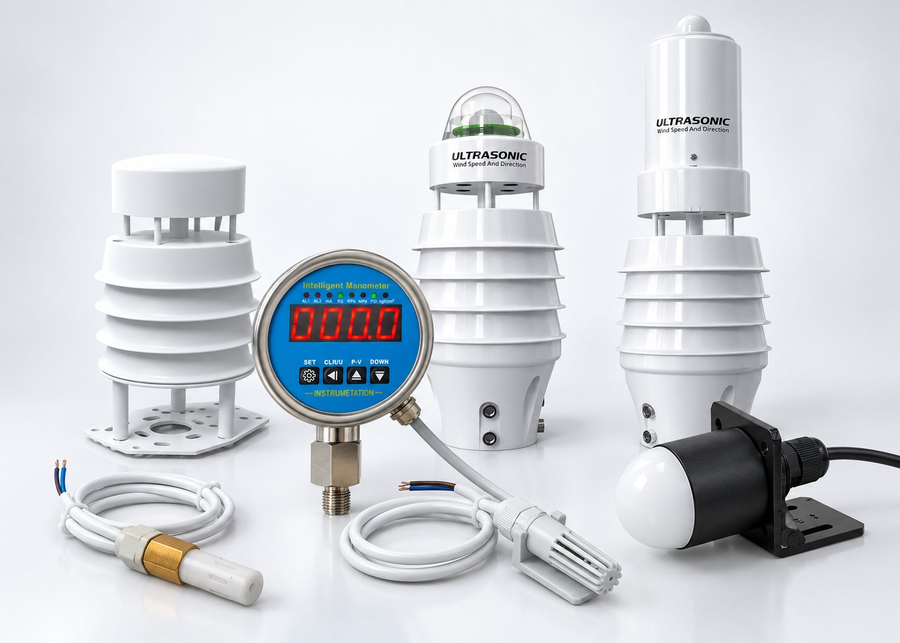
Temperature, humidity, THI, light, indoor/outdoor pressure difference, water pressure — and whatever else the barn needs through the module slots. Sensors are supplied as required: the controller can run on its built-in readings alone, or on several external inputs at once, and a single strategy can weigh more than one at a time.

  • Built-in temperature and humidity, THI calculated on board
  • Additional sensors for light, pressure difference and water pressure
  • Modbus RTU over RS-485, up to 2,000 m
  • Inputs combined into one zone strategy
Open the sensors
COM-01-003-004One per barn network · DIN rail

Industrial router

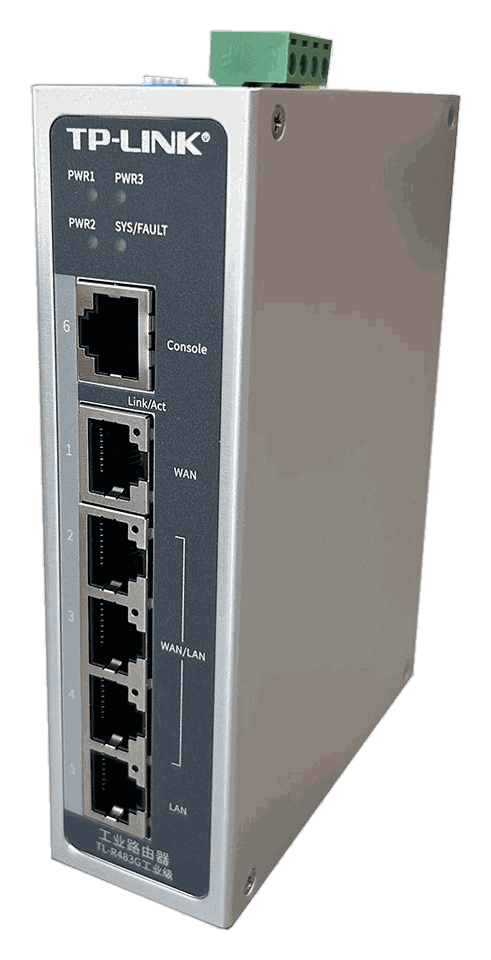
The uplink that puts the barn on the farm network. Multi-WAN and gigabit, on a DIN rail, so the platform can reach the controller and keep reaching it when one WAN drops. Without it the system still runs locally — it just stops being remote.

  • Multi-WAN gigabit uplink
  • DIN rail, barn cabinet
  • Keeps the platform link up across a dropped WAN
Open the industrial router
Grade ladder

Where this grade sits

Basic drives fans from temperature alone; Standard adds the inputs and the coordination; Advanced gives each fan its own device. The fans themselves do not change between the three.

  1. Basic —
    DB2 per zone
    Each zone gets its own DB2; the strategy is held on its own panel and no network is required.
  2. Standard —
    Mini-C Plus + VFD module
    Several DB2 zones folded into one control point, with multiple inputs and coordination with soaking. This is the grade described on this page.
  3. Advanced —
    add DB9
    One DB9 per fan: individual strategies, manual commands, live readback and fault alerts. The Mini-C Plus stays; the VFD module gives way to the DB9s.
Expansion

Inlets, fogging and heating ride on the same controller

Air comes in through the inlets and leaves through the fans, and the climate is the difference between the two — so the inlets, the fogging line and the heaters are driven by the strategy that already runs the fans. Each one is an add-on module in a Mini-C Plus slot, bought when the barn needs it, not bundled with the grade.

Add-onModuleWhat it changes
InletsINLET · CCM-01-006-002Two outputs, each with open/close, an opening command and position feedback — the opening is commanded and then confirmed, not run against a timer.
FoggingVSO · CCM-01-002-008, SWITCH · CCM-01-004-008Valve groups switch on the VSO outputs and the pump is enabled through a SWITCH relay. Line pressure comes back from the manometer, so a blocked nozzle or a dry pump shows up as a reading instead of as a wet alley.
Heating In developmentSWITCH · CCM-01-004-008An enable output: the heaters run or they do not. Modulation and staging come later, and this page does not claim them.

Ventilation leads, and the rest follows it. Each add-on joins the decision the fans are already making: the inlet takes its position from the fan stage, fogging is enabled while the fans are moving air, and the heaters come on when ventilation sits at its minimum. Fit one or fit all three — the strategy stays in one place, so the barn behaves as one system rather than as three that happen to share a roof.

Layout

Where FanPilot Standard sits in the barn

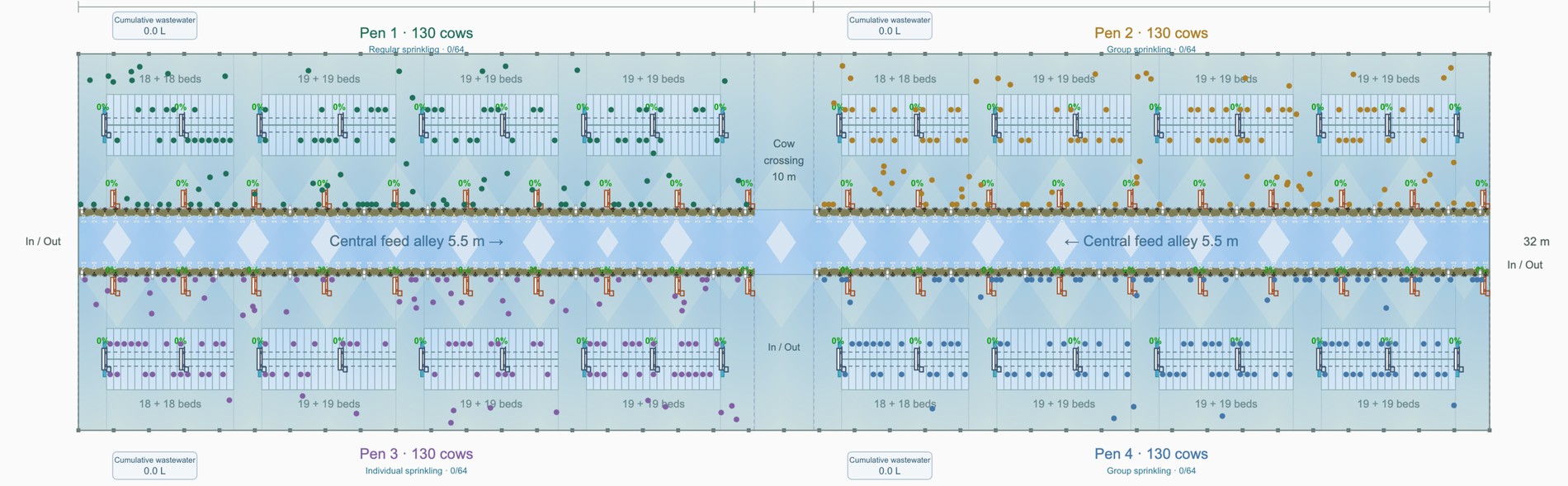
The same 76 fan positions and the same control run, consolidated: one Mini-C Plus for the whole barn instead of a controller per zone, and branches that divide the fans into two groups — those along the feeding alley and those over the lying area.

Example layoutThis drawing is an example. Its basic conditions come from Live Barn and it is not an actual dairy barn — it shows how a layout is put together and must not be used as a configuration reference for any real project.Talk to us and we will prepare a solution for your barn

Four-row barn, 8 pen groups, 76 fan positions, 76 cable drops. The blue run leaves the service end, crosses at the 10 m cow crossing and branches into the two fan groups.

  1. 1
    Zone runs — feed alley and lying areaThe blue path splits into two branches: one for the fans along the feeding alley, one for the fans over the lying area. The two groups are ventilated on their own curves instead of on one average for the building.
  2. 2
    Fan positions — 76, unchangedForty along the feeding alleys, thirty-six over the lying area. The fans stay where they are; what changes is that a group is driven as a zone rather than switched with the rest of the barn.
  3. 3
    Mini-C Plus — one controller at the service endOne controller replaces the four DB2s and is where the branches land, marked Mini-C Plus on the drawing. Environmental inputs arrive here as well.
  4. 4
    Cow crossing 10 m and central feed driveways 5.5 mThe two places the strategy is aimed at, both dimensioned on the drawing. Sensors read those, not the empty corners of the building.
Why FanPilot Standard

What the coordination buys you

Four differences that show up in the barn rather than in the brochure — and the first is the reason most farms move up from Basic.

Multiple inputs, not one probe

Temperature alone cannot tell a humid afternoon from a dry one. Standard weighs humidity, THI, light, pressure difference and water pressure together, and its temperature, humidity and THI readings come from the controller itself rather than from extra probes.

One system for the whole barn

The goal is not a ventilation system plus a soaking system, but every powered installation in the barn under one strategy. With its expansion modules a Mini-C Plus switches, varies speed, reads multiple sensors, extends over CAN and takes execution feedback — so fans, soaking, curtains, vents, lighting, heating and fogging can be coordinated from the same controller. Ventilation is where that starts, not where it stops.

Zones with their own curve

The fans along the feeding alley and the fans over the lying area do not need the same airflow, and they do not work the same hours. Each group carries its own setpoint, which is usually the difference between a comfortable average and a comfortable barn.

One strategy across farms

Settings live in the BARNEYE platform: change a ventilation curve once and apply it to the houses that should share it, from any web-enabled device.

Is Standard the right grade for your barn?

Send us the barn drawing and the fan schedule. We will tell you how many zones the building really needs, where the sensors should sit, and whether the site is better served by the per-fan control that Advanced adds.

Send us your barn plan
Zone layout from your drawing
Sensor placement
Transparent bill of materials