FanPilot · Advanced grade

Every fan, its own device

The per-fan grade: one DB9 on each variable-speed fan, live readback from every drive, and faults that announce themselves before anyone walks the barn.

The system

Control per fan, not per building

FanPilot Advanced puts a DB9 Intelligent Drive Controller on each variable-speed fan. The Mini-C Plus stays — it still holds the site strategy and provides the vision recognition — but the fan line is no longer a group of fans that move together. Every fan has its own address, its own strategy and its own manual command.

That is what makes the readback possible. Each DB9 reports actual speed, frequency, current and fault state, so the platform shows what a fan is doing rather than what it was told to do. When a belt slips or a drive faults, the notification arrives instead of waiting for someone to notice a still fan at the end of the house. The DB9 also carries a control strategy of its own: if the link drops, the temperature sensor built into the unit and the strategy already downloaded to it take over, so the fan keeps being regulated instead of stopping.

Advanced is also the only grade that can set inverter parameters remotely. It is fully adapted to TOPCOOL variable-frequency drives, and other makes and models can be connected in the same way once they have been adapted.

Upgrading from Standard means adding the DB9s and adjusting the wiring. The Mini-C Plus, the cameras and the vision recognition all stay exactly where they are.

Download the FanPilot brochureFanPilot · Basic to Advanced · English · 2 pages · 856 KB PDF
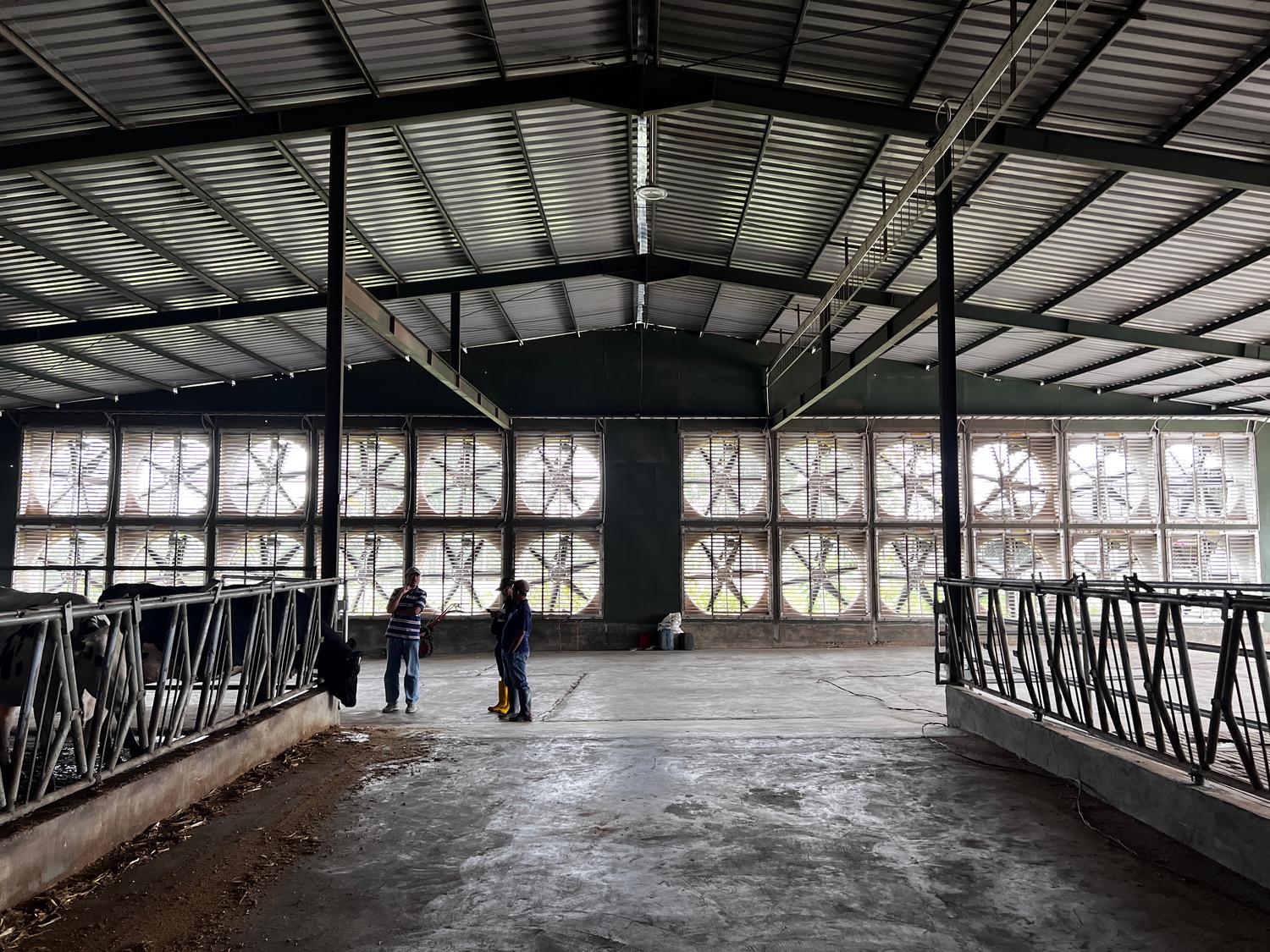
A full bank of exhaust fans set into the gable wall of a tunnel-ventilated barn, seen from inside the house
The fan bank on the gable of a tunnel-ventilated house, seen from inside. At Advanced every one of those fans has a DB9 of its own and a status the platform can read.
  • 1:1Fans per DB9
  • MultipleValues read back
  • Per fanControl level
  • RemoteFirmware updates
Equipment

What the system is made of

The controller, the sensors and the fans stay. What is added is a terminal at every fan — one device per motor, each with its own address on the run.

ECU-01-006-000One per barn

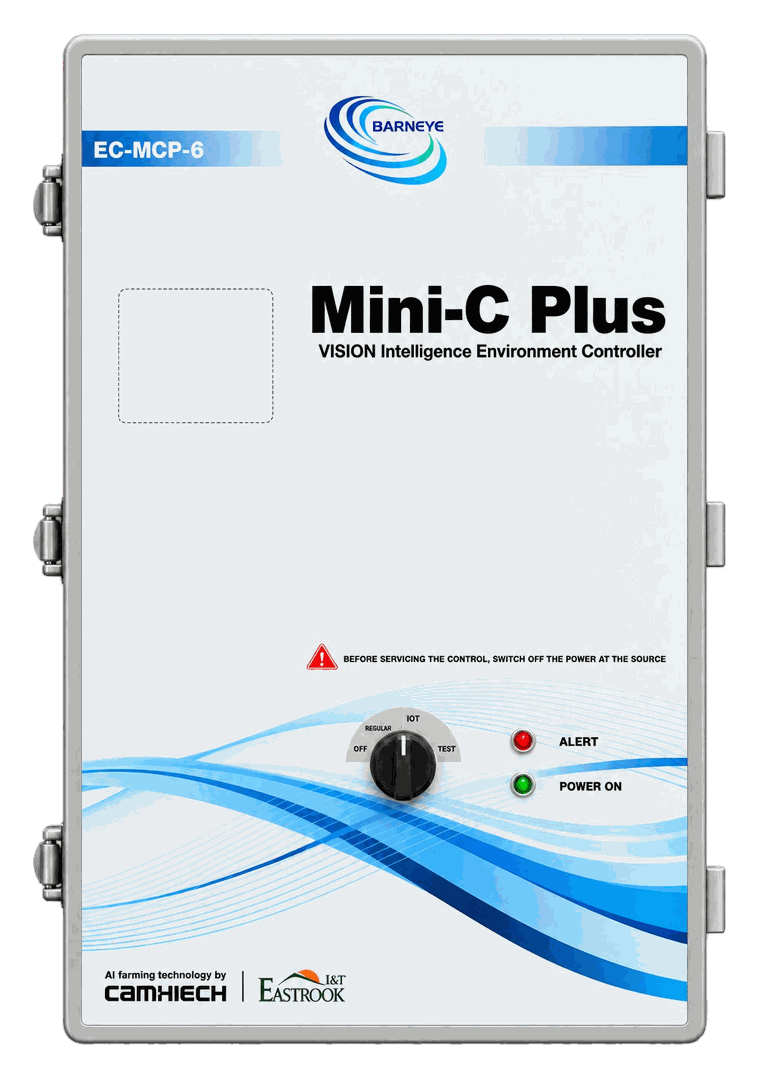
Mini-C Plus

The controller at the centre of this grade. It holds the ventilation strategy for every zone, reads the environmental inputs and coordinates the fan groups. Six module slots take the VFD module and whichever input modules the barn needs.

  • Ventilation strategy for every zone in one enclosure
  • Six module slots for control, acquisition and communication modules
  • Built-in temperature and humidity, with THI calculated on board
  • Platform link for remote setting and multi-farm management
Open the Mini-C Plus
CCM-01-001-002One per Mini-C Plus

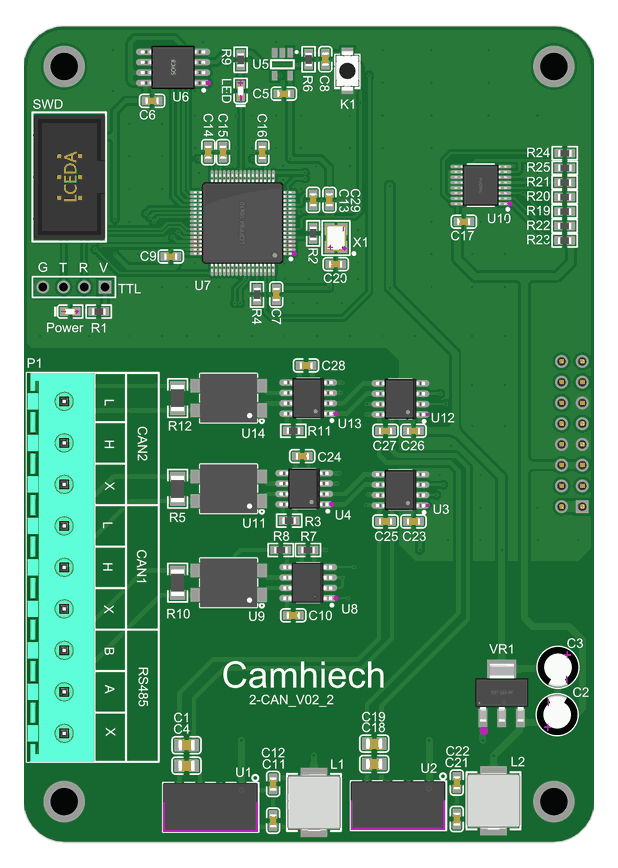
CAN module

The plug-in board that puts the controller on a CAN bus — two lines out, for the terminals that take their commands over CAN rather than over Modbus or a 0–10 V pair. At this grade it is what gives each DB terminal its own channel back to the controller.

  • Two CAN lines from one module
  • Seats in a Mini-C Plus module slot
  • Carries the command channel for the DB terminals
See the module slots
CTU-01-007-000One per fan · 1:1

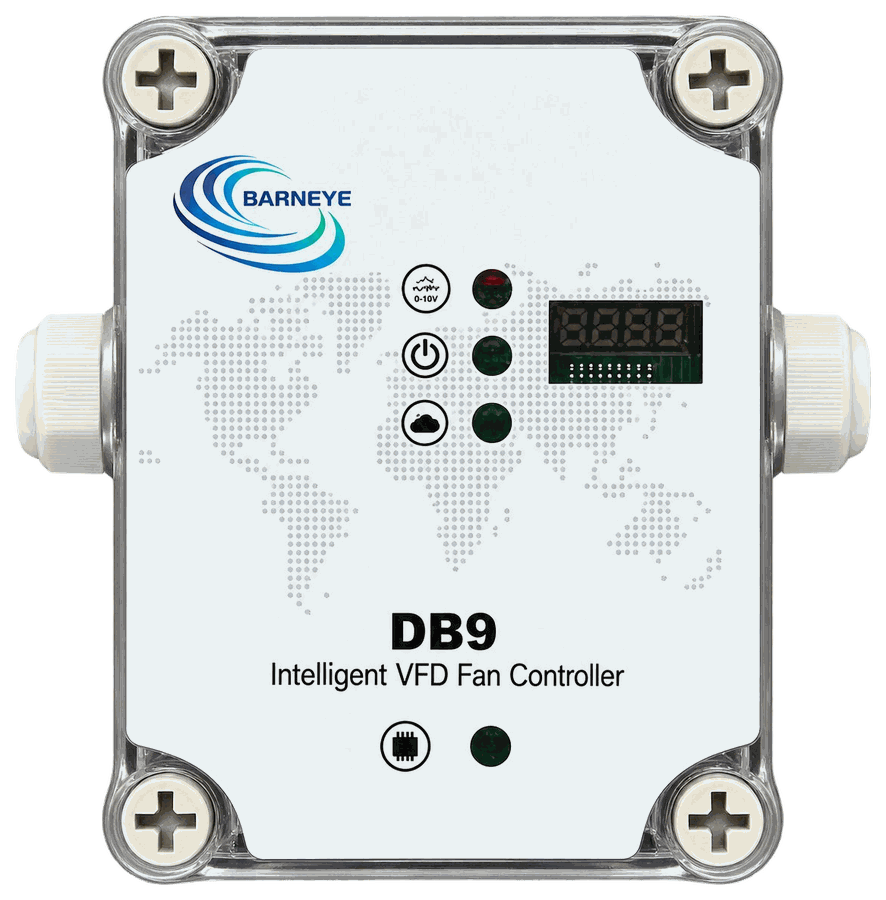
DB9 Intelligent Drive Controller

A dedicated interface for a single variable-speed fan: 0–10 V command out, live operating data back, and a control strategy of its own — if the CAN link is lost, the temperature sensor built into the unit and the strategy already downloaded to it take over locally, so the fan keeps being regulated instead of stopping.

  • One fan per unit — no shared group logic
  • 0–10 V speed command, RS-485 / Modbus back
  • Actual speed, frequency, current and fault state
  • Falls back to local strategy control if the link is lost
  • IP66 enclosure at the fan
Open the DB9
per projectSupplied as required

Environmental sensors

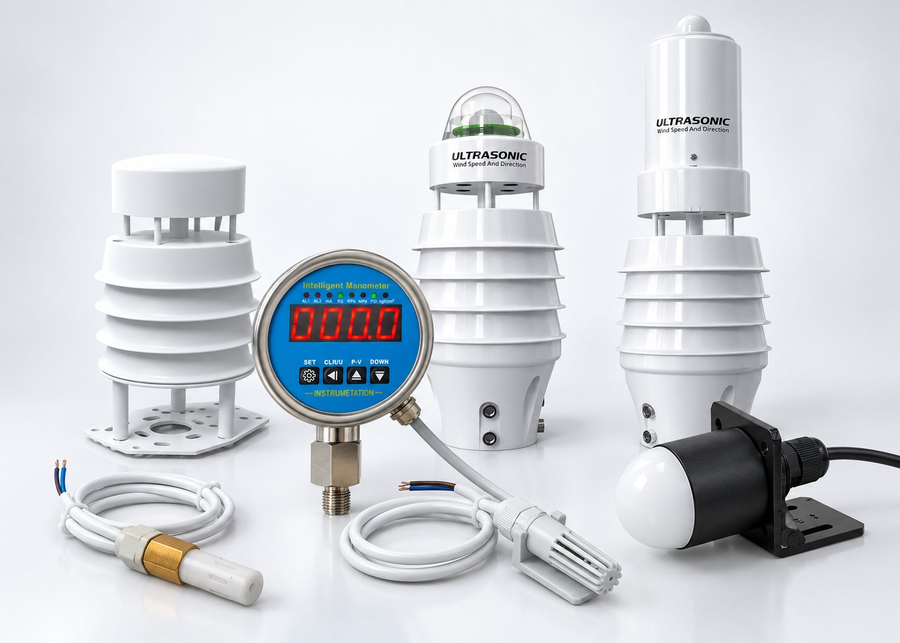
Temperature, humidity, THI, light, indoor/outdoor pressure difference, water pressure — and whatever else the barn needs through the module slots. Sensors are supplied as required: the controller can run on its built-in readings alone, or on several external inputs at once, and a single strategy can weigh more than one at a time.

  • Built-in temperature and humidity, THI calculated on board
  • Additional sensors for light, pressure difference and water pressure
  • Modbus RTU over RS-485, up to 2,000 m
  • Inputs combined into one zone strategy
Open the sensors
COM-01-003-004One per barn network · DIN rail

Industrial router

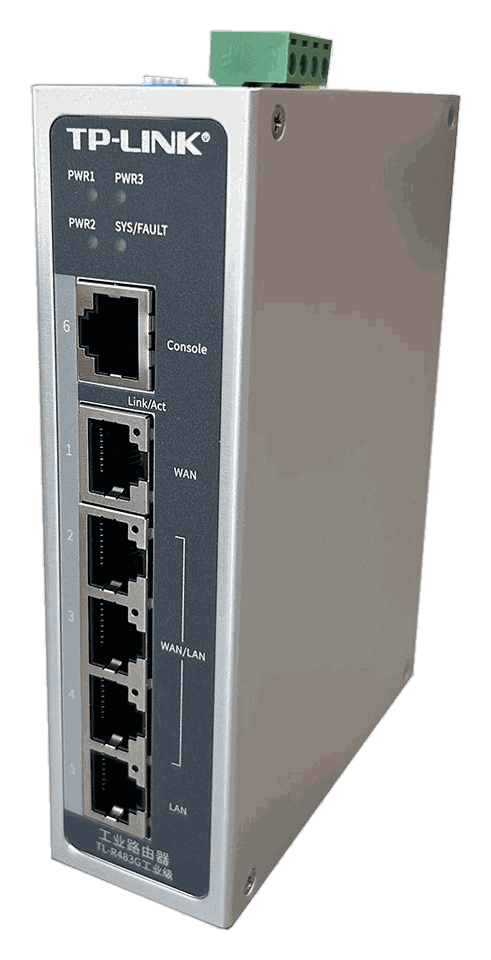
The uplink that puts the barn on the farm network. Multi-WAN and gigabit, on a DIN rail, so the platform can reach the controller and keep reaching it when one WAN drops. Without it the system still runs locally — it just stops being remote.

  • Multi-WAN gigabit uplink
  • DIN rail, barn cabinet
  • Keeps the platform link up across a dropped WAN
Open the industrial router
Grade ladder

Where this grade sits

The three grades share the same fans, the same building and the same platform. What changes is the resolution at which the barn can be driven.

  1. Basic —
    one DB2
    A single controller, temperature as its only input, strategy held on its own panel.
  2. Standard —
    Mini-C Plus + VFD module
    Zones with their own setpoints and multiple inputs, coordinated with soaking.
  3. Advanced —
    add DB9
    One terminal per fan, live readback, fault alerts and remote inverter parameters. This is the grade described on this page.
AI

What the AI does at this grade

Learning from its own history, and from the animals — with the panel always able to take over.

At this grade every fan reports back, so the system keeps a per-fan record of what it asked for and what actually happened. It reads that history and moves the strategy itself — set points and weights shift without anyone editing a schedule.

Presence and intake data from LyingLogix and NutriTrack enter the same loop, so the barn is driven by what the animals are doing, not only by the sensor on the wall. Every adjustment is logged, and any of them can be taken over by hand from the panel.

Expansion

The same modules, in a controller with a free slot

At Advanced every fan has its own DB9, so the VFD module comes out and its slot goes to the inlet module. The expansion hardware is exactly the one described at Standard; what changes is the resolution the strategy can address — a zone at Standard, a single device at Advanced.

Add-onModuleWhat it changes
InletsINLET · CCM-01-006-002Two outputs, each with open/close, an opening command and position feedback — the opening is commanded and then confirmed, not run against a timer.
FoggingVSO · CCM-01-002-008, SWITCH · CCM-01-004-008Valve groups switch on the VSO outputs and the pump is enabled through a SWITCH relay. Line pressure comes back from the manometer, so a blocked nozzle or a dry pump shows up as a reading instead of as a wet alley.
Heating In developmentSWITCH · CCM-01-004-008An enable output: the heaters run or they do not. Modulation and staging come later, and this page does not claim them.

The same sequence, at a finer resolution. Here the decision is taken per fan and per device, so an inlet group can follow the fans that actually serve its end of the barn, and fogging can be held to the zone that needs it. The modules are the ones listed above; what changes is how precisely the strategy can place them.

Layout

Where FanPilot Advanced sits in the barn

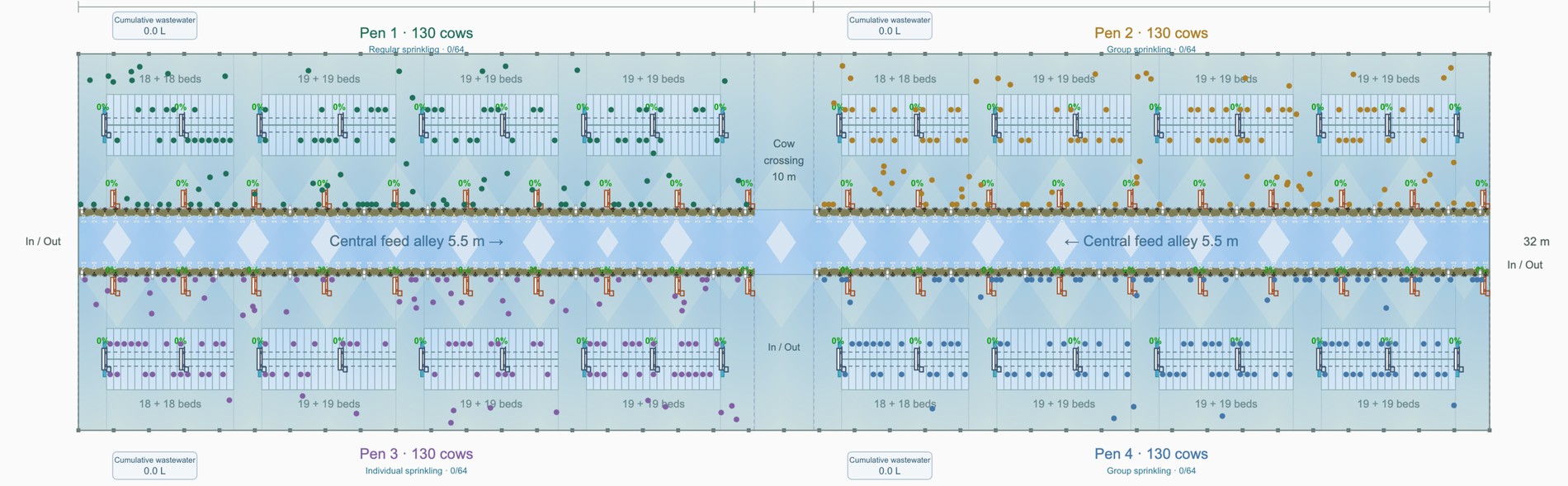
The same 76 positions, drawn per fan instead of per row: the run reaches every one of them individually, with a DB9 at each fan.

Example layoutThis drawing is an example. Its basic conditions come from Live Barn and it is not an actual dairy barn — it shows how a layout is put together and must not be used as a configuration reference for any real project.Talk to us and we will prepare a solution for your barn

Each fan position on the building wall is its own node, and the run reaches every one of them separately.

  1. 1
    One run per fan — 76The cable no longer stops at a row. It reaches each fan position, which is what lets a single fan be ramped or taken out of service without touching its neighbours.
  2. 2
    DB9 at every fan position — 76One variable-speed module per fan, mounted at the fan and marked DB9 on the drawing. Each reports speed, frequency, current and fault state up the same run.
  3. 3
    DB7 and DB2 — the control pair at the service endTwo units where the runs gather: the cabinet that switches the line and the controller that holds the setpoints. Both sit next to the existing supply.
  4. 4
    Zones that still matterThe 10 m crossing and the 5.5 m feed driveways are still where the air has to land. Per-fan control lets one fan be turned down where a zone would have had to run whole.
Why FanPilot Advanced

Resolution, evidence, and a phone that rings first

The difference between Standard and Advanced is not more hardware for its own sake. It is being able to act on one fan and to know what that fan did.

Individual strategies and manual commands

A fan at the end of a house can run on its own curve, or be driven by hand during commissioning and service, without changing what the other fans are doing.

Readback, not assumption

Speed, frequency, current and fault state come back from each drive — multiple values, and the report can be extended where a site needs more. The platform shows what a fan is actually doing, which is the difference between a schedule and a result.

Faults that announce themselves

A slipping belt or a tripped drive raises a notification instead of a surprise. Device readings reflect the time of query, so a fault is visible as it happens.

Remote firmware updates

Firmware is updated from the platform, and inverter parameters can be changed the same way. No ladder, no local keypad, and no site visit for a settings change.

Going per fan?

Send us the fan schedule — make, model, drive type and how the fans are grouped today. We will come back with the DB9 count, the wiring change from your current setup, and the parameters worth setting remotely.

Send us your fan schedule
DB9 count from your schedule
Wiring change list
Commissioning support